
1. Download the App
ReopenCU is available for download from the App Store for iOS devices and Google Play for Android devices.
2 Log In
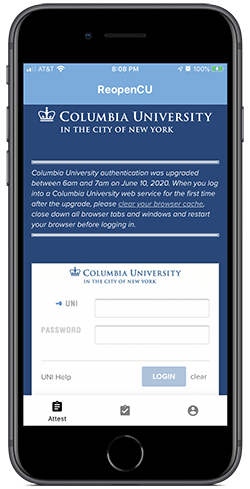
Open the app and log in with your Columbia UNI and password.
3 Complete the Daily Attestation
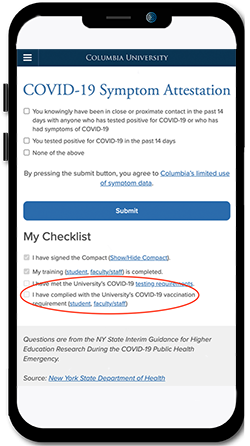
The Attest tab provides the daily symptom check.
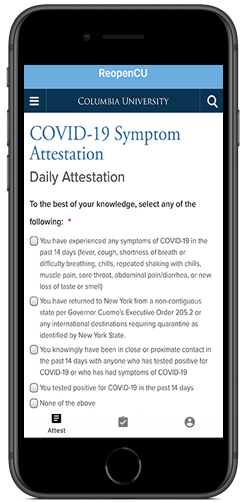
The questions come from the New York State Interim Guidance For Higher Education Research During the Covid-19 Public Health Emergency and can be read by clicking on the link at the bottom of the symptom check form.
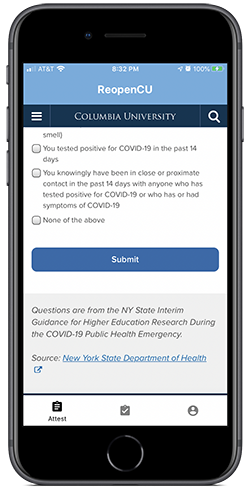
Answer the questions and click “Submit.”
4 Complete the Required Protocol
Everyone who returns to campus must sign the University Health Compact, take safety training, and get a COVID-19 PCR test.
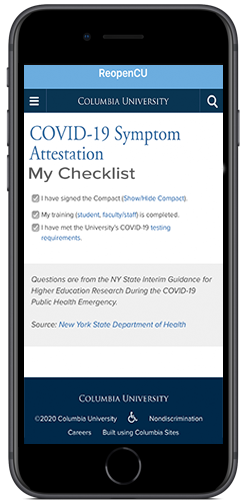
The app allows you to digitally sign the compact; select “Show/Hide Compact.” Once you select “I Agree,” the app will remember your choice. Once you have completed the appropriate safety training, the app will update to reflect this change, but this process can take up to an hour, so plan accordingly.
After you have taken a Columbia Test and Trace program COVID-19 test, the app will also reflect this information. Compliance data is regularly transmitted to update the app, and in most cases will reflect within 72 hours, often faster.
The boxes in the ReopenCU app are updated once you finish the compliance steps, following the timeline described above for each.
If you need assistance with the app, contact the CUIT Service Desk: Submit a ticket, email [email protected], or call 212-854-1919.
5 Upload Vaccine Documentation or Request Exemption
In the My Checklist section, in the last check box for vaccination compliance, click either the “student” or “faculty/staff” link.
Students will then be asked to select “Morningside” or “CUIMC” and be routed to the appropriate student health portal to upload proof of vaccination. Employees will see a form that asks for basic data about vaccination and allows uploading of one documentation file in either jpg, jpeg, png, or pdf format.
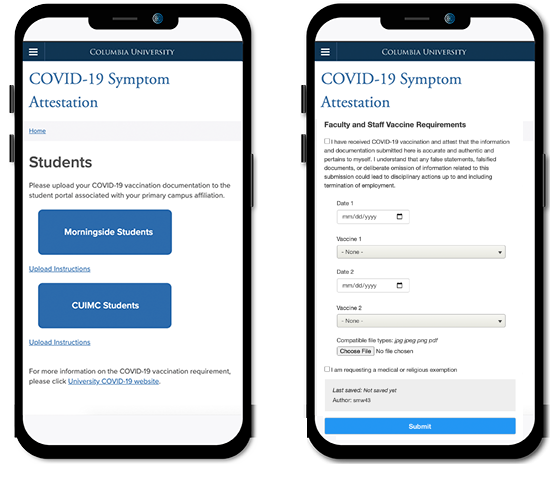
You must complete all fields before clicking “Submit” to upload your documentation.
Requesting an Exemption
Students can request a medical or religious exemption through the appropriate student health portal, Morningside or CUIMC.
Employees can request an exemption for medical or religious reasons by selecting the “request exemption” checkbox. The next page provides information on how to submit the request. Reviews will be conducted by a panel of medical experts including a representative from Human Resources. If the exemption is granted, the My Checklist section of the app will have an automatic check mark.
6 Generate Your Daily Pass
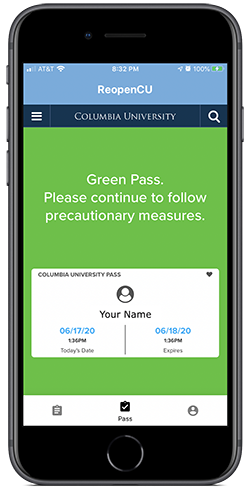
Once you click “Submit,” the app will generate a date- and time-stamped 24-hour certificate. Assuming you have no symptoms, this daily pass will be green.
If you answer yes to any one of the questions and receive a red pass, you should not come to work and should notify your supervisor.
Your daily pass is available at all times on the Pass tab found at the bottom of the app screen.
7 Show Your Pass
Your daily pass must be shown to security at all entrances to campus buildings.